Loading...

Chief Tailor
A Tailoring Shop Management System
aug 14
|
freelance
|
2024
Chief Tailor is a tailor shop management system designed for a tailor shop in Qatar, built using the MERN stack (MongoDB, Express, React, Node.js), Python, and Firebase. The system streamlines various aspects of the tailoring business, including customer management, order tracking, inventory control, appointment scheduling, and financial tracking. It features a dynamic user interface powered by React, with a robust backend managed by Node.js and Express.js, and a flexible MongoDB database. Python is utilized for data analysis, while Firebase handles authentication, cloud messaging, and real-time data synchronization. Chief Tailor enhances efficiency and customer experience by automating notifications for order statuses and appointment reminders, providing insightful financial reports, and ensuring smooth business operations. This comprehensive solution is tailored to modernize traditional tailoring businesses, making them more organized and customer-focused. Check it out here

Chief Tailor Frontend
The frontend of Chief Tailor is an interactive portfolio built with the robust MERN stack, showcasing the company’s products, services, skilled artisans, and rich heritage. It offers a seamless, user-centric experience with high-resolution imagery and detailed descriptions. Employee profiles and a captivating timeline enhance brand storytelling. Powered by GSAP and Framer Motion, the frontend features advanced animations and smooth transitions for increased engagement. Its responsive, mobile-friendly design positions Chief Tailor as a digitally forward-thinking brand that leaves a strong impression.
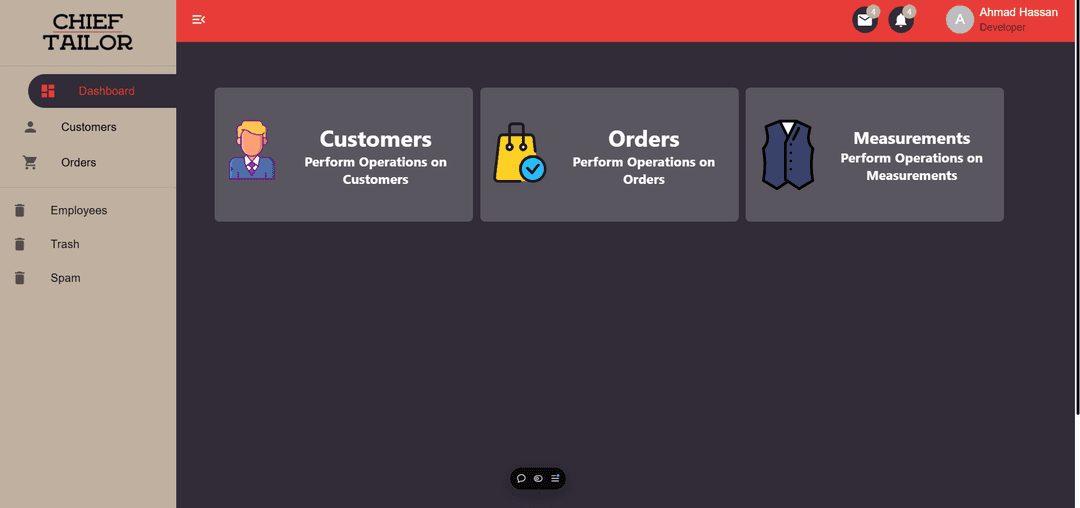
Management System
The Chief Tailor management system, built with the MERN stack, streamlines key operations like inventory management, order processing, and employee scheduling. With a user-friendly interface, it enables real-time tracking of products and orders. Role-based access control ensures secure task management, while MongoDB provides a flexible, scalable database. Powered by Node.js and Express, the system ensures fast, reliable performance, boosting operational efficiency and enabling Chief Tailor to deliver high-quality services seamlessly.
Data Storage
The Chief Tailor system leverages Firebase for secure, real-time data management and efficient storage solutions. Firebase Authentication provides robust, scalable user authentication, ensuring secure sign-ins and role-based access control across the platform. Firebase Storage is used for reliable, cloud-based storage of all data, including high-quality product images and PDF invoices. With its seamless integration, Firebase enables fast data synchronization and offers automatic scaling to meet the needs of growing user bases. This cloud-first approach enhances security, accessibility, and performance, positioning Chief Tailor as a tech-forward brand capable of handling large volumes of data with ease and reliability.
This code defines a function, getBackupMetaDateAndTime, which generates metadata for data backups stored in Firebase. It retrieves the current date and time, formatting the date in a readable "month day, year" format and the time in both 12-hour and 24-hour formats. Additionally, it fetches the current timestamp from Firebase using admin.firestore.Timestamp.now(). The function returns an object containing the Firebase timestamp, formatted date, and both 12-hour and 24-hour time strings, providing essential metadata for backup records.

TypeScript
1const getBackupMetaDateAndTime = () => {
2    const now = new Date();
3    const firestoreTimestamp = admin.firestore.Timestamp.now();
4
5    const options: Intl.DateTimeFormatOptions = {day: 'numeric', month: 'long', year: 'numeric'};
6    const formattedDate = now.toLocaleDateString('en-US', options);
7
8    const options12Hour: Intl.DateTimeFormatOptions = {hour: 'numeric', minute: 'numeric', second: 'numeric', hour12: true};
9    const time12Hour = now.toLocaleTimeString('en-US', options12Hour);
10    const options24Hour: Intl.DateTimeFormatOptions = {hour: 'numeric', minute: 'numeric', second: 'numeric', hour12: false};
11    const time24Hour = now.toLocaleTimeString('en-US', options24Hour);
12
13    return {firestoreTimestamp, formattedDate, time12Hour, time24Hour,};
14};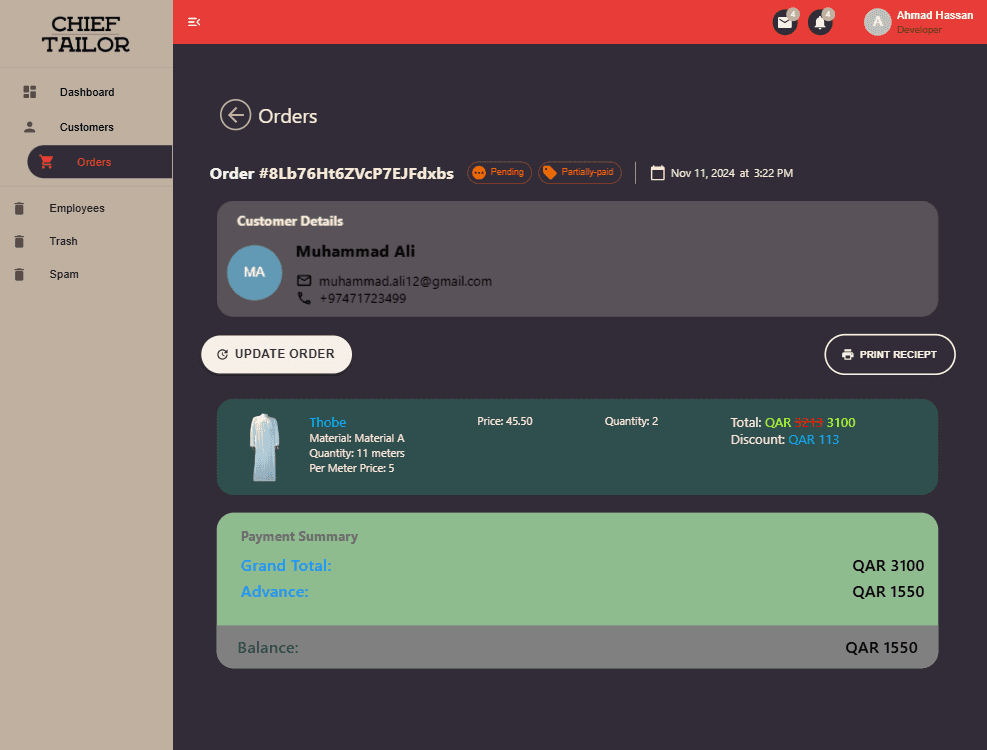
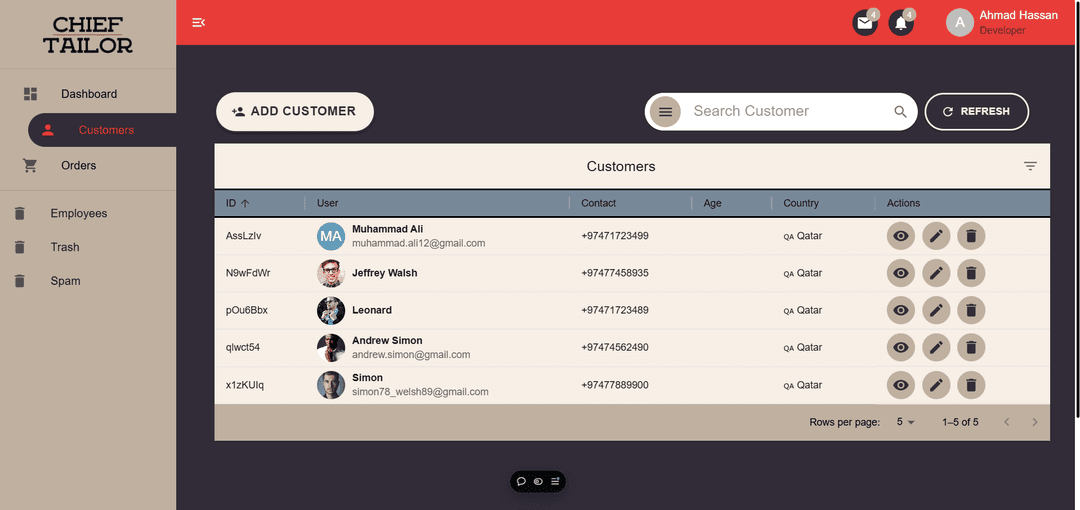
The Chief Tailor management system offers a comprehensive order management feature that allows users to easily add, update, and delete orders. When adding an order, users can input customer measurements, select items, and apply discounts or advance payments. The system automatically records every change to the order, creating a detailed history of updates for tracking purposes. Users can view the full order details, including customer information, item selection, measurements, applied discounts, and payment history. The ability to update and delete orders ensures flexibility, while the built-in order history feature allows administrators and employees to track past transactions and manage ongoing requests with ease, enhancing operational efficiency and customer service.
The Chief Tailor management system provides an intuitive interface to add and manage employee details, including personal information, job roles, and performance metrics. Employees' salary details, including base pay, bonuses, and deductions, are securely stored and easily accessible by authorized personnel. The system also enables the addition of various employment-related documents, such as contracts and certifications, ensuring that all essential information is organized and readily available. With role-based access control, managers can efficiently view and update employee details while maintaining strict data privacy and security.
To streamline payroll management, the system integrates seamless bank transaction functionalities, allowing managers to pay employee salaries directly through the platform. Automated salary calculations, including bonuses and deductions, are processed in real-time, ensuring accuracy and timely payments. The integration with banking APIs allows for secure and efficient salary disbursement, reducing administrative overhead and eliminating the need for manual intervention. This end-to-end payroll solution enhances operational efficiency, boosts employee satisfaction, and ensures compliance with regulatory standards, positioning Chief Tailor as a technologically advanced and employee-friendly organization.
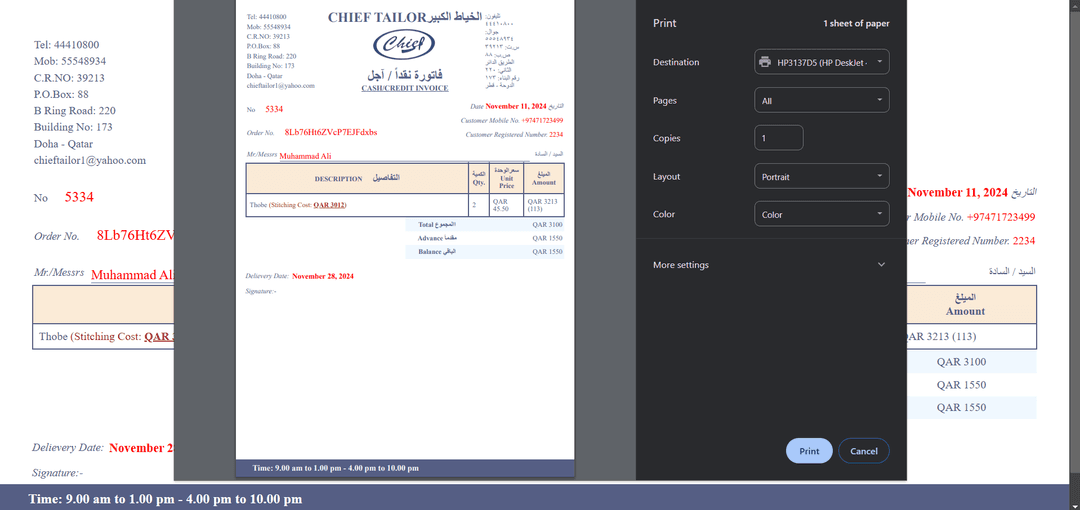
Custom Invoice/ Receipts
The Chief Tailor system includes a dynamic, custom invoice generator built using Python, designed to generate invoices based on order details in real-time. The invoice generator pulls data from the order, including customer information, itemized products, measurements, discounts, and payment history, to create a professional, tailored invoice. With the flexibility to customize the layout and design, the system ensures that each invoice is unique to the customer and compliant with the company’s branding. Additionally, the invoices are generated in PDF format, making them easy to download, print, and share. This automated process streamlines invoicing, reduces human error, and enhances the overall customer experience.
This code defines a function, generate_pdf(url), which generates a PDF invoice from a provided URL. It first checks if the URL starts with "http"; if not, it prepends "https://". The function then uses the pdfkit library to convert the webpage at the given URL into a PDF file, saving it to a predefined path (/invoices/invoice.pdf). It applies custom configuration and options for PDF generation. Finally, the generated PDF is returned as a downloadable file with the appropriate MIME type (application/pdf) using the send_file function.

Python
1def generate_pdf(url):
2    output_path = "/invoices/invoice.pdf"
3
4    full_url = f"https://{url}" if not url.startswith("http") else url
5
6    pdfkit.from_url(url, output_path,
7        configuration=config,
8        options=pdfkit_options
9    )
10
11
12    return send_file( output_path, as_attachment=True, mimetype='application/pdf')